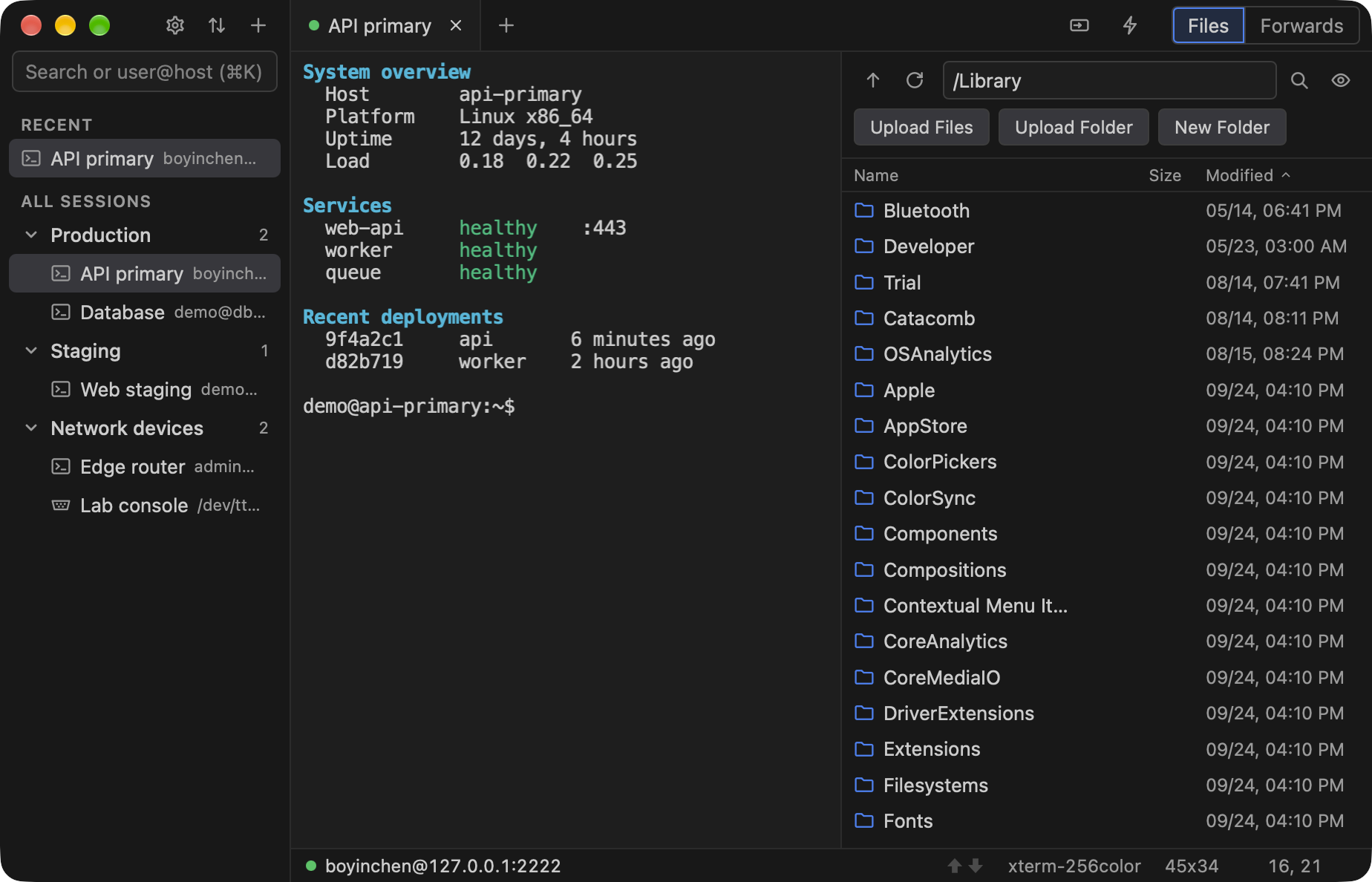
The terminal, file browser and forwards share one SSH connection. Duplicate a tab or split a pane and ZShell reuses it, so you
authenticate once.
Your server
ZShell
Terminal
Files
Tunnels
Built for daily work
From the first prompt to the last file.
01
SSH that behaves like SSH.
Passwords, private keys, agents and keyboard-interactive authentication in OpenSSH’s order. Host keys live in the same
known_hosts, with jump hosts and proxies when you need them.
Automatic reconnection
SOCKS5, HTTP and ProxyCommand
Import from ~/.ssh/config
02
Move files without changing tools.
SFTP drag and drop, transfer progress, remote editing and ZMODEM for hosts without SFTP.
03
Organize work your way.
Nested sessions, fast search, split panes, movable tabs, quick commands and synchronized input.
04
More than SSH.
Telnet and serial consoles for network equipment, plus local terminals on every platform.
05
Your connections stay yours.
Encrypt sessions and saved passwords, protect exports, and lock the app with system authentication.
macOS · Windows · Linux
One app. All your environments.
Get ZShell from the Microsoft Store on Windows, or download the latest release for Apple Silicon or Intel Macs, Windows x64,
Debian, Ubuntu and Fedora.
winWindowsMicrosoft Store, installer or standalone
tuxLinuxDEB or RPM
Downloads from GitHub are not signed with a developer certificate yet, so macOS and Windows show a warning the first time you open
ZShell; the
installation steps explain
how to open it. The Microsoft Store version installs without a warning and updates itself.
Private by design
No account. No telemetry. No ads.
ZShell runs on your computer and connects only where you tell it to, apart from a daily update check you can turn off. Your
sessions, passwords and logs stay local. There is no analytics, crash reporting or advertising.